
Instagram Reels for Apartment Communities: What Actually Gets Views
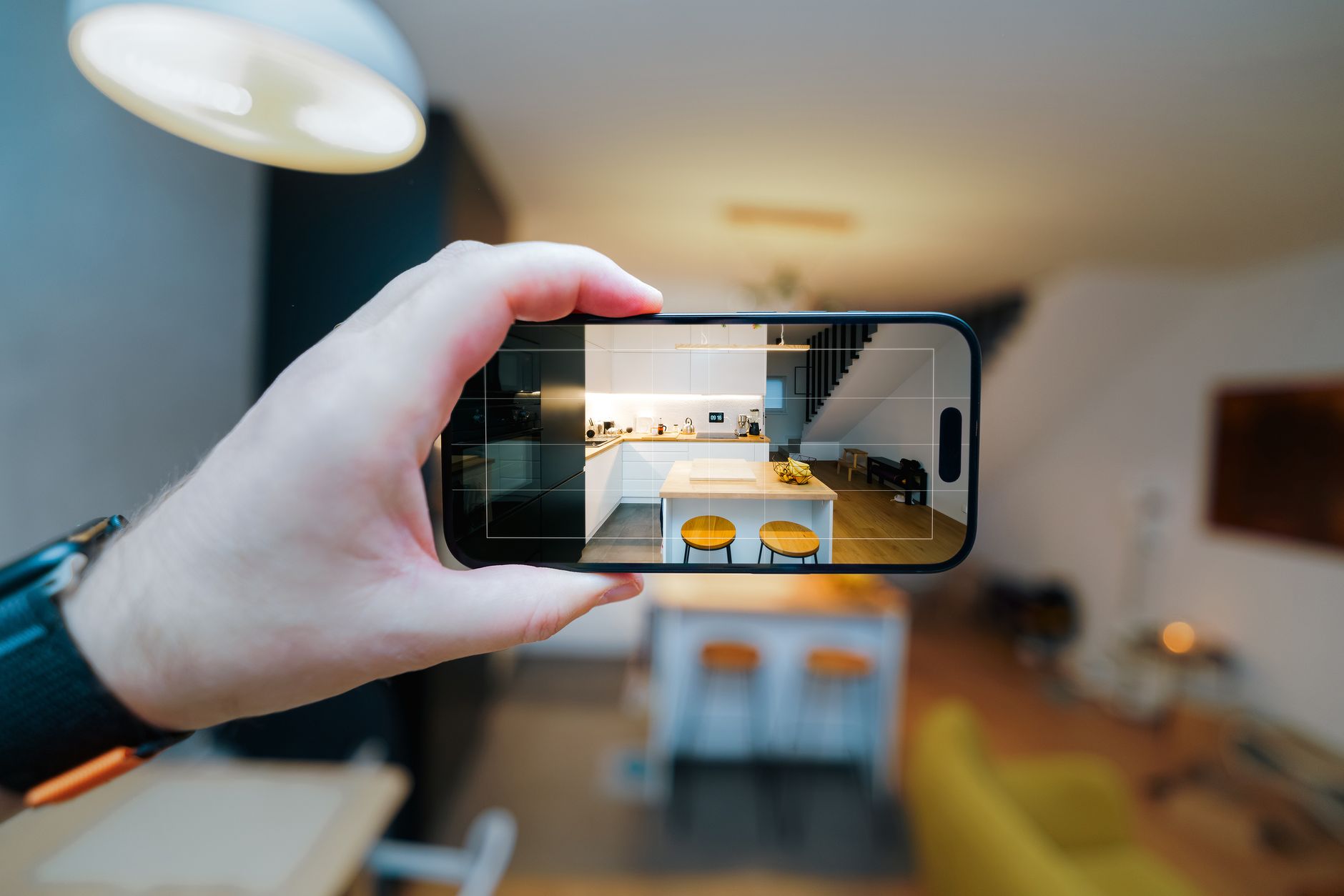
Instagram Reels for apartments represent one of the most underused organic reach channels in multifamily marketing right now. The algorithm actively distributes Reels to non-followers, which means a well-made 30-second clip can land in front of renters who have never heard of your community. Most apartment Instagram accounts post static photos and stop there. If you are willing to pick up your phone and follow a repeatable process, you can outperform larger competitors with bigger budgets.
Why Reels Outperform Static Posts for Apartments
Instagram's distribution logic consistently favors short video over static content. That is not a secret. What is less obvious is that the advantage compounds over time: Reels you post today can accumulate views for weeks, whereas a feed photo is essentially invisible after 24 to 48 hours.
For apartment communities specifically, video solves a real prospect problem. A photo of a kitchen shows the kitchen. A 20-second walkthrough shows the kitchen, how it flows into the living room, how the natural light moves, and how the space actually feels. That context reduces friction for prospects who are deciding whether to tour.
If you want a broader view of where Reels fit inside your overall content mix, the complete social media playbook for property managers is a good place to start before you build out your video strategy.
The First Three Seconds: Your Only Real Variable
Every Reel lives or dies in the first three seconds. If the opening frame is a generic shot of the leasing office ceiling while the camera adjusts, viewers scroll. If the first frame is visually interesting and the first words on screen answer an obvious renter question, they stop.
Strong openers for instagram reels for apartments:
- A tight close-up of a detail that stops the scroll: exposed brick, a dramatic view, a renovated bathroom tile, a pool at golden hour
- A direct text hook on screen in the first second: "What $1,800 gets you in [your neighborhood]" or "Tour a corner unit before it's gone"
- Motion from frame one: walking through a front door, spinning slowly in a room, pulling back from a window view
Do not start with your logo. Do not start with a title card that fades in. Do not start with a wide exterior shot of your building unless the building itself is genuinely arresting. Get to the interesting part immediately.
Length: Shorter Than You Think
For apartment Reels, the sweet spot is 15 to 30 seconds. You have time to show two or three spaces, a hook line, and a call to action. Longer videos drop off sharply in completion rate, and completion rate is one of the signals the algorithm uses to decide whether to keep distributing your content.
If you want to show a full apartment walkthrough, break it into a series: kitchen in one Reel, primary bedroom in another, the amenity deck in a third. Each becomes its own piece of content, and the series format gives prospects a reason to follow your account for more.
A Practical Phone Shot List for Apartment Reels
You do not need a gimbal, a ring light, or a videographer. A clean, modern phone camera in good light is enough. Here is a repeatable shot list that works for most apartment Reel formats:
For a unit walkthrough Reel:
- Slow push through the front door (leading shot)
- Wide of the living area, panning left to right
- Close-up of one high-value detail: countertops, backsplash, hardware, light fixture
- Walk into the bedroom, camera following naturally
- Window shot showing the view or natural light
- Bathroom close-up: vanity, tile, or soaking tub if applicable
- Final frame: balcony or patio if available
For an amenity Reel:
- Open with the most visually striking element (pool, rooftop, gym)
- Move through two or three spaces with smooth, unhurried motion
- End on a social or aspirational detail: firepit, coffee bar, dog park
Shoot in portrait (9:16) orientation so it fills the full screen. Turn on your phone's grid lines and keep your horizon level. Film during the day when rooms are lit by natural light, and turn off overhead fluorescents if they create a harsh or yellowish cast.
Captions and Text Overlay
Many people watch Reels with sound off, especially in public or at work. Text overlays are not optional. Keep them short, large, and readable within the first half of the clip.
Good uses of text overlay in instagram reels for apartments:
- The neighborhood name or a nearby landmark ("Walkable to Balboa Park")
- A key feature callout ("In-unit washer/dryer included")
- A direct question that matches what renters are searching ("Looking for a 1-bed under $2k in [city]?")
Your caption in the post itself should lead with the most useful information, not hashtags. Write one or two sentences that describe what is in the video and invite action. Then add hashtags at the end: a mix of specific (your neighborhood, your city) and broader apartment-search terms. Keep the hashtag count to eight to twelve. More than that tends to look like spam and does not meaningfully increase reach.
Music: Use Audio That Is Already Trending
Instagram's algorithm gives a small but real boost to Reels that use trending audio. Inside the Reels creation interface, you can browse trending sounds. Pick something that fits the tone of your property: upbeat and light for a lifestyle-forward community, warm and calm for a luxury or 55-plus property.
Avoid music that feels generic or corporate. Avoid anything that will clash with the pacing of your footage. And use licensed audio through Instagram's native library rather than adding your own music files, which can trigger content restrictions.
Posting Time and Frequency
For instagram reels for apartments, consistency matters more than volume. One quality Reel per week will outperform three rushed ones. Aim to post during windows when your target renters are most likely to be browsing: weekday evenings and weekend mornings tend to perform well for residential content, though your own account's analytics will show you when your specific audience is online.
Post consistently enough that Instagram's system learns your account publishes video regularly. Accounts that post Reels sporadically get inconsistent distribution. If you need help structuring your overall content calendar around Reels and other formats, the weekly apartment social media posting plan lays out a practical month-by-month schedule.
What to Avoid
- Watermarked content from other platforms. TikTok watermarks will suppress your Reel's distribution on Instagram.
- AI-generated or stock video that does not show your actual property. Prospects who tour after watching will immediately notice the mismatch, and the content will feel dishonest.
- Excessive transitions and effects. Quick cuts and flashing overlays can feel dizzying. Clean, smooth motion wins.
- Long intro sequences before the action starts. As covered above: get to the interesting frame immediately.
For more content ideas beyond Reels, the 30 apartment social media post ideas list is a useful reference when you are planning your next month of content.
Putting It Into Practice
Start with one unit or amenity, shoot ten to fifteen clips using the shot list above, and edit them down to your best 20 to 30 seconds. Post it, check your analytics after 48 hours, and note what the completion rate looks like. Adjust your opening hook if viewers are dropping off in the first few seconds. Adjust your length if they are completing the video but not following or clicking.
Instagram Reels for apartments are genuinely effective when executed consistently. The communities that commit to even a once-weekly Reel build a searchable library of video content, grow their follower count with in-market renters, and have organic reach that keeps compounding long after the initial post.
If you would rather have a team handle the production and publishing strategy for you, LeaseRadius's apartment social media marketing service includes Reels as part of a fully managed content plan tailored to your specific property and neighborhood.
Related reading
Marketing that fills your units, on autopilot.
LeaseRadius runs your apartment community's social media, local SEO, and content. From $299 a month, first month free.
Get Started